 English
 Français
 Español
 Deutsch
 Italiano
 العربية



هاتف
:+86-755-86961139
بريد إلكتروني
:sales@vivo-light.com
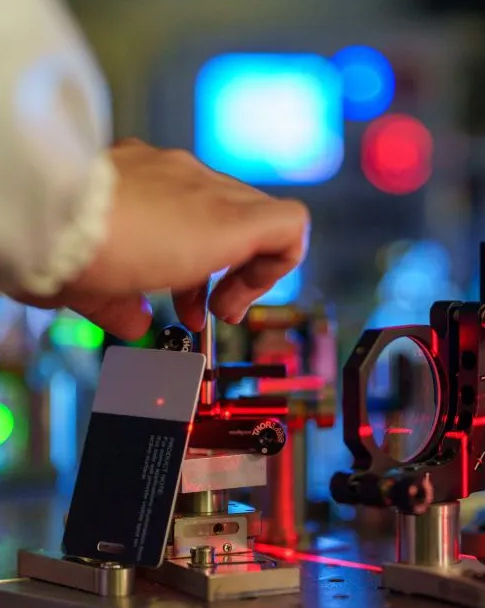

ستلاحظ أن وضع الضوء الأخضر مناسب للعديد من ألوان البشرة عند استخدام جهاز كشف الأوردة بالإسقاط. تُظهر الدراسات السريرية أن الضوء الأخضر يُوفر تباينًا قويًا بين الأوردة والجلد، مما يُسهّل رصد الأوردة على البشرة الفاتحة والمتوسطة والداكنة. يُساعدك اختيار وضع الإضاءة المناسب على رؤية الأوردة بشكل أفضل، ويُقلل من المحاولات الفاشلة، ويُمكّنك من تقديم رعاية أفضل للمرضى.
يساعدك وضع الضوء الأخضر على رؤية الأوردة بوضوح على جميع أنواع البشرة. أما وضع الضوء الأحمر فلا يُجدي نفعًا، خاصةً على البشرة الداكنة. اختر أجهزة كشف الأوردة التي تتيح لك تغيير وضع الضوء للحصول على نتائج أفضل. يُبرز الضوء الأخضر الأوردة بشكل أكبر، مما يقلل من احتمالية تفويت الفحص. استخدم أجهزة كشف الأوردة التي تحتوي على أكثر من وضع لون واحد لتناسب مختلف المرضى.
عند استخدام جهاز كشف الأوردة بتقنية الإسقاط الضوئي، يُعد لون ضوء LED عاملاً مهماً. تتفاعل ألوان البشرة المختلفة بطرق متباينة مع أضواء LED الخضراء والحمراء. يوضح الجدول أدناه أداء كل لون من ألوان الضوء على درجات البشرة الفاتحة والمتوسطة والداكنة. يساعدك هذا على اختيار أفضل أجهزة كشف الأوردة لمرضاك.
لون ضوء LED | لون البشرة | وصف الأداء |
أخضر | ضوء | تظهر الأوردة بوضوح مع تباين قوي. |
أخضر | واسطة | يوفر رؤية عالية وخطوط عروق حادة. |
أخضر | مظلم | يوفر تباينًا حادًا، مما يجعل الأوردة أكثر وضوحًا. |
أحمر | ضوء | تظهر الأوردة، لكن التباين أقل من اللون الأخضر. |
أحمر | واسطة | فعال، لكن الأوردة قد تمتزج مع لون الجلد. |
أحمر | مظلم | أقل فعالية بسبب امتصاص الميلانين. |
يمكنك ملاحظة أن مصابيح LED الخضراء في أجهزة كشف الأوردة تعمل بكفاءة مع جميع درجات البشرة، وخاصةً البشرة الداكنة. أما مصابيح LED الحمراء فلا تعمل بنفس الكفاءة مع البشرة الداكنة لأن الميلانين يمتص كمية أكبر من الضوء الأحمر، مما يجعل رؤية الأوردة أكثر صعوبة.
يجب أن تعرف الفرق بين مصابيح LED الخضراء والحمراء في أجهزة كشف الأوردة. توفر مصابيح LED الخضراء تباينًا أفضل للأوردة على معظم درجات اللون، مما يساعدك على تحديدها بسرعة وتقليل المحاولات الفاشلة. أما مصابيح LED الحمراء، فلا تُظهر الأوردة بوضوح، خاصةً على درجات اللون الداكنة. تلعب مصابيح LED بالأشعة تحت الحمراء في أجهزة كشف الأوردة دورًا أيضًا، حيث تخترق الأشعة تحت الحمراء بعمق أكبر، لكن مصابيح LED الخضراء لا تزال توفر أفضل تباين سطحي للأوردة.
عند استخدام أجهزة تحديد الأوردة مثل فيفولايت V800P أو جهاز الكشف عن الأوردة V900Pستحصل على ميزات خاصة. يستخدم طراز V800P مصابيح LED خضراء لتحسين الرؤية في الإضاءة الخافتة. كما أنه مزود بوضع خاص بالأطفال لحماية عيون المرضى الصغار. أما طراز V900P، فيتكيف مع مختلف درجات الإضاءة ويوفر لك خاصية الكشف الذكي عن العمق، مما يساعدك على تحديد الوريد والزاوية المناسبين لإدخال الإبرة. تستخدم هذه الأجهزة تقنية LED متطورة لتلبية احتياجات كل مريض.
نصيحة: تأكد دائمًا من أن جهاز كشف الأوردة لديك مزود بأوضاع إضاءة LED قابلة للتعديل. يتيح لك ذلك التبديل بين إضاءة LED الخضراء والحمراء للحصول على أفضل رؤية للأوردة على أي لون بشرة.
يمكنك تحسين رعاية المرضى باختيار وضع إضاءة LED المناسب. تتكيف أنظمة أجهزة تصوير الأوردة بالأشعة تحت الحمراء مع مختلف درجات الإضاءة، مما يضمن رؤية الأوردة بوضوح وتجنب وخز الإبر المتكرر. تستخدم أجهزة كشف الأوردة الموثوقة، مثل أجهزة كشف الأوردة المستخدمة في المستشفيات والأجهزة المحمولة، مصابيح LED لمساعدتك على العمل بسرعة وأمان أكبر. لكل من مصابيح LED بالأشعة تحت الحمراء، ومصابيح LED الخضراء، ومصابيح LED الحمراء استخداماتها، ولكن مصابيح LED الخضراء تُعطي أفضل النتائج في معظم درجات الإضاءة.
أنت بحاجة إلى أجهزة كشف الأوردة التي تتميز بخاصية تعديل الألوان وميزات ذكية. تساعدك مصابيح LED بالأشعة تحت الحمراء في هذه الأجهزة على رؤية الأوردة العميقة، بينما تمنحك مصابيح LED الخضراء تحديدًا دقيقًا للأوردة على الجلد. تُسهّل أجهزة تصوير الأوردة المزودة بهذه الخيارات عملك. يمكنك استخدامها في المستشفيات أو كأدوات محمولة لكشف الأوردة في العيادات والمنازل.
عند استخدام أجهزة كشف الأوردة المزودة بمصابيح LED المناسبة، ستحصل على أداء أفضل. ستتمكن من رؤية الأوردة بوضوح على جميع درجات الألوان، مما يقلل من انزعاج المريض ويرفع من نسبة نجاح العملية. تتميز مصابيح LED بالأشعة تحت الحمراء، والخضراء، والحمراء بمزاياها الخاصة، إلا أن المصابيح الخضراء تتفوق بأدائها المتميز على مختلف درجات الألوان.
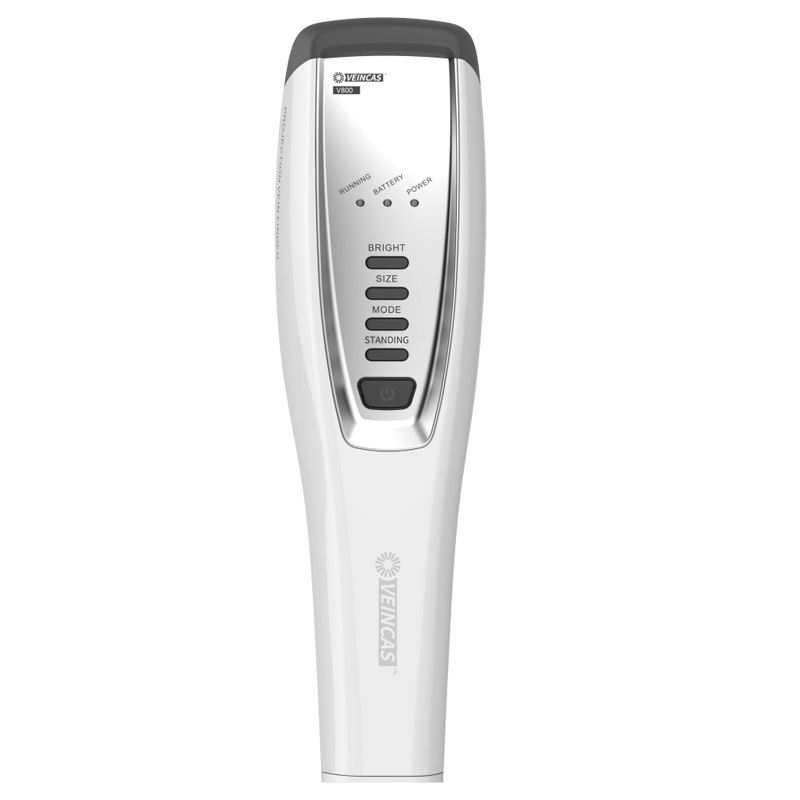
يساعدك الضوء الأخضر على رؤية الأوردة بشكل أفضل، إذ يتفاعل مع الميلانين والهيموجلوبين في الجلد. عند استخدام جهاز كشف الأوردة بتقنية الإسقاط الضوئي، يخترق الضوء الأخضر الطبقة العليا من الجلد، وينتشر ليصل إلى الأوعية الدموية الصغيرة. يمتص الهيموجلوبين الضوء الأخضر، مما يُسهّل رصد الأوردة. تلاحظ الأوردة بوضوح لأن الضوء الأخضر يُبرزها، خاصةً في المناطق ذات التدفق الدموي القوي. هذا يُساعدك على تحديد الأوردة بسرعة وبدقة أكبر. كما يُساعد الضوء القريب من الأشعة تحت الحمراء في تصوير الأوردة، لكن الضوء الأخضر يُعطي أعلى تباين على الجلد.
يُعدّ الضوء الأخضر فعالاً على البشرة الفاتحة، حيث يُتيح رؤية واضحة للأوردة مع تباين قوي. تستخدم أجهزة الكشف عن الأوردة في المستشفيات والأجهزة المحمولة الضوء الأخضر لإظهار الأوردة بوضوح، مما يُسهّل تحديدها بدقة، ويُساعد في إجراء التصوير وتحديد موقعها بثقة. يُفيد التصوير بالأشعة تحت الحمراء أيضاً، لكن الضوء الأخضر يُوفّر أفضل وضوح للسطح، مما يُحسّن جودة الصور ويُقلّل من شعور المرضى بالانزعاج.
يعمل الضوء الأخضر بشكل جيد على البشرة المتوسطة. يمكنك استخدام أجهزة كشف الأوردة بتقنية الإسقاط الضوئي مع أوضاع متعددة الألوان وضوء الأشعة تحت الحمراء القريبة. يوفر الضوء الأخضر تحديدًا دقيقًا للأوردة ورؤية واضحة. يمكنك رؤية الأوردة بوضوح، حتى مع تغير لون البشرة.
جهاز | أداء لون البشرة |
فيفولايت V900P | يناسب البشرة الفاتحة والمتوسطة والداكنة |
التصوير بالأشعة تحت الحمراء القريبة | يصل إلى أعماق البشرة الداكنة والأوردة العميقة |
تباين عالٍ | يبقى واضحًا على العديد من ألوان البشرة |
ستحصل على صور عالية الجودة وترى الأوردة بوضوح. يساعد التصوير بالأشعة تحت الحمراء والضوء القريب من الأشعة تحت الحمراء على رؤية الأوردة العميقة، لكن الضوء الأخضر يوفر أفضل تباين للسطح.
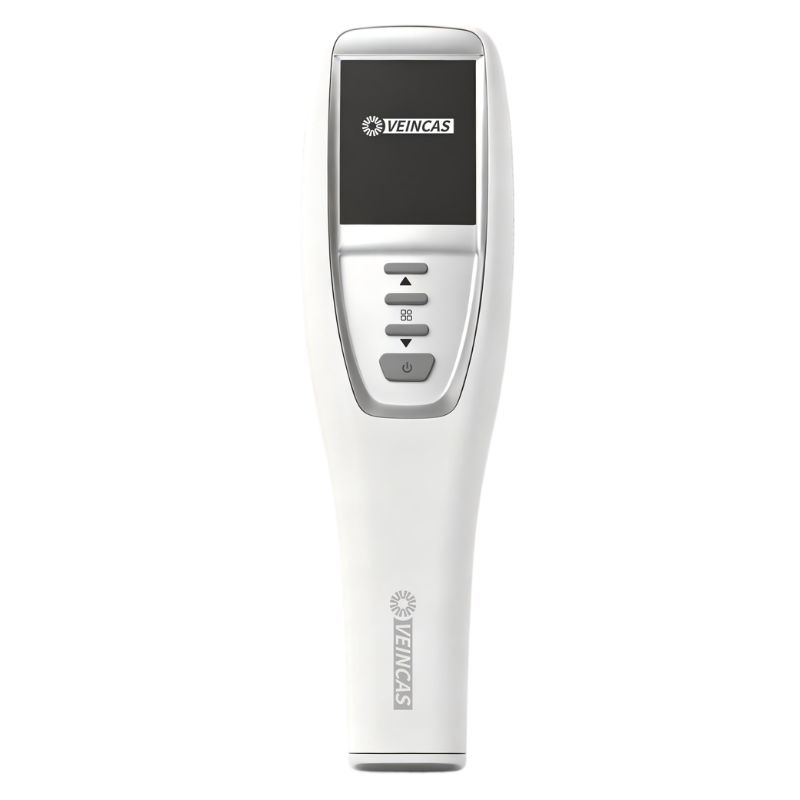
يُعدّ الضوء الأخضر مثاليًا للبشرة الداكنة. يمكنك استخدام أجهزة كشف الأوردة المحمولة المزودة بنمطَي الأشعة تحت الحمراء القريبة والضوء الأخضر. يخترق الضوء الأخضر الجلد، مما يُبرز الأوردة بوضوح، حتى مع وجود نسبة عالية من الميلانين. تظهر الأوردة بتباين قوي، مما يُحسّن جودة التصوير ويُقلّل من حالات الفشل. يُساعد التصوير بالأشعة تحت الحمراء والأشعة تحت الحمراء القريبة على رؤية الأوردة العميقة. يُستخدم الضوء الأخضر للأوردة السطحية، والأشعة تحت الحمراء القريبة للتصوير العميق. ستحصل على صور عالية الجودة ونتائج ثابتة لجميع ألوان البشرة.
نصيحة: اختر أجهزة كشف الأوردة بتقنية الإسقاط الضوئي المزودة بأوضاع إضاءة خضراء وأشعة تحت الحمراء القريبة قابلة للتعديل. بذلك، تُحسّن رؤية الأوردة وتصويرها لكل مريض.
يساعدك الضوء الأحمر على رؤية الأوردة باستخدام جهاز كشف الأوردة بتقنية الإسقاط الضوئي. يُسلط الضوء على الجلد ويتفاعل مع الهيموجلوبين في الدم، حيث يمتص الهيموجلوبين الضوء الأحمر أكثر من الأنسجة الأخرى. هذا يجعل الأوردة تبدو كخطوط داكنة في الإسقاط. تستخدم أجهزة كشف الأوردة في المستشفيات، وكذلك الأجهزة المحمولة، هذه الطريقة لإظهار الأوردة على الجلد.
يساعدك الضوء الأحمر في تحديد الأوردة، لكن فعاليته تختلف باختلاف لون البشرة. قد تفيد تقنية الأشعة تحت الحمراء في أجهزة تحديد الأوردة، لكنها قد لا تكون فعالة للأشخاص ذوي البشرة الداكنة.
يُعدّ الضوء الأحمر فعالاً على البشرة الفاتحة، حيث يُتيح رؤية الأوردة بوضوح نظراً لقلة صبغة الميلانين التي تمتص الضوء. تُظهر أجهزة الكشف عن الأوردة في المستشفيات والأجهزة المحمولة الأوردة بتباين عالٍ. كما يُعدّ التصوير بالأشعة تحت الحمراء فعالاً أيضاً على البشرة الفاتحة، مما يُتيح استخدام كلٍ من الضوء الأحمر والأشعة تحت الحمراء للكشف عن الأوردة. وبذلك، يتم العثور على الأوردة بسرعة وبدقة أكبر.
نصيحة: استخدمي إعدادات لطيفة على جهاز كشف الأوردة بالبثق للبشرة الفاتحة. هذا يساعدك على تجنب الوهج ويحافظ على وضوح خطوط الأوردة.
يعمل الضوء الأحمر على البشرة المتوسطة، ولكن قد يكون التباين أقل وضوحًا مقارنةً بالبشرة الفاتحة. غالبًا ما تتيح أجهزة الكشف عن الأوردة بتقنية الإسقاط الضوئي ضبط مستويات الشدة. يمكنك اختيار إعدادات خفيفة أو متوسطة أو قوية لتناسب لون بشرة المريض. يساعد التصوير بالأشعة تحت الحمراء على رؤية الأوردة العميقة، ولكن قد تندمج الأوردة السطحية مع لون الجلد.
ميزة | وصف |
مستويات الشدة | يحتوي الجهاز على 3 مستويات شدة: خفيفة، متوسطة، وقوية. |
توافق لون البشرة | صُمم ليعمل على درجات البشرة الفاتحة والمتوسطة والداكنة للحصول على نتائج جيدة. |
يمكنك ضبط جهاز كشف الأوردة في المستشفى أو الجهاز المحمول للحصول على أفضل رؤية للأوردة. تساعد أوضاع الأشعة تحت الحمراء، لكن الضوء الأحمر قد لا يُظهر دائمًا حدودًا واضحة على البشرة المتوسطة.
[المصدر: التقييمات السريرية المقارنة للتصوير بالأشعة تحت الحمراء متعددة الشدة ومعايير توافق لون البشرة لأجهزة الإضاءة الوريدية التجارية.]
يصعب استخدام الضوء الأحمر على البشرة الداكنة، إذ يمتص الميلانين كمية أكبر من الضوء الأحمر، مما يجعل الأوردة أقل وضوحًا. وقد تواجه أجهزة الكشف عن الأوردة بالأشعة تحت الحمراء صعوبة في إظهار الأوردة لدى المرضى من أصول أفريقية أو آسيوية. قد تحتاج إلى استخدام التصوير بالأشعة تحت الحمراء للأوردة العميقة، لكن الأوردة السطحية تبقى صعبة الرؤية.
ملاحظة: بالنسبة للبشرة الداكنة، ستحصلين على نتائج أفضل باستخدام الضوء الأخضر أو الأشعة تحت الحمراء القريبة في جهاز كشف الأوردة الخاص بالمستشفى أو الجهاز المحمول. قد لا يوفر الضوء الأحمر تباينًا كافيًا لسهولة كشف الأوردة.
تعتمد رؤية الأوردة على اختيار وضع الإضاءة المناسب. تُساعد تقنية الأشعة تحت الحمراء، ولكن يجب اختيار الإعدادات الأمثل لكل مريض حسب لون بشرته. توفر أجهزة كشف الأوردة بتقنية الإسقاط الضوئي، المزودة بأوضاع متعددة الألوان، خياراتٍ أكثر وتُساعد في تقديم رعاية أفضل للمرضى.
يؤثر الميلانين الموجود في الجلد على كيفية عمل الضوء أثناء عملية القسطرة. يمتص الميلانين بعض ألوان الضوء، مثل الأحمر والأشعة تحت الحمراء. لا يمتص الميلانين الضوء الأخضر بشكل كبير، مما يجعل الأوردة أسهل في الرؤية على البشرة الداكنة. تبدو الأوردة أكثر وضوحًا، وبالتالي يمكنك العثور عليها بسرعة أكبر. تخترق الأشعة تحت الحمراء طبقات أعمق من الجلد، ولكن وجود كمية كبيرة من الميلانين قد يجعل من الصعب تحديد الأوردة. لذا، تحقق دائمًا من نوع بشرة المريض قبل اختيار وضع الإضاءة. تساعدك أجهزة الكشف عن الأوردة المتوفرة في المستشفيات، والأجهزة المحمولة التي تناسب أنواعًا متعددة من البشرة، على تحديد الأوردة من المحاولة الأولى، مما يجعل عملك أكثر دقة.
يُعدّ تباين الأوردة ووضوحها أمراً بالغ الأهمية للعثور عليها. يجب أن ترى الأوردة بوضوح لإجراء عملية القسطرة بنجاح. يوضح الجدول أدناه العوامل المؤثرة على وضوح رؤية الأوردة:
عامل | التأثير على وضوح الأوردة |
لون البشرة | يغير مظهر الأوردة تحت الجلد. |
الشفافية | يجعل رؤية الأوردة أسهل أو أصعب. |
عمق الأوردة | يوضح ما إذا كان من السهل العثور على الأوردة. |
غيّر إعدادات جهاز تحديد الأوردة بالعرض الضوئي بما يتناسب مع لون بشرة كل مريض. ضع في اعتبارك درجة شفافية الجلد وعمق الأوردة. تتيح لك أجهزة تحديد الأوردة المتوفرة في المستشفيات والأجهزة المحمولة إجراء هذه التغييرات. يساعدك هذا على تحديد الأوردة من المحاولة الأولى وتحسين عملية إدخال القسطرة.
[المصدر: المعايير السريرية والعوامل الفيزيولوجية التي تحدد كفاءة التباين الوعائي المحيطي أثناء تصوير الأوردة بالأشعة تحت الحمراء القريبة والإضاءة الخلفية.]
يختلف كل مريض وحالة عن الآخر. قد تستخدم جهازًا محمولًا لكشف الأوردة في المنزل، أو جهازًا مخصصًا للمستشفى في حالات الطوارئ. بعض المرضى لديهم أوردة عميقة أو بشرة غير شفافة، مما يُصعّب عملية الكشف. اضبط إعدادات الجهاز بما يتناسب مع احتياجات كل مريض. تساعدك أوضاع الأشعة تحت الحمراء في تحديد الأوردة العميقة، بينما يُعد الضوء الأخضر الأنسب للأوردة القريبة من سطح الجلد. يُساعدك تغيير أسلوبك في الكشف على تحديد الأوردة بشكل أسرع، ويُحسّن من فرص نجاحك. اختر تقنية دقيقة ومناسبة لجميع أنواع البشرة، فهذا يُساعدك على إجراء عملية القسطرة بشكل أفضل، وتحديد الأوردة من المحاولة الأولى.
نصيحة: اختيار وضع تحديد الأوردة المناسب لكل مريض يساعدك في العثور على الأوردة بشكل أسرع ويجعل عملية إدخال القنية أكثر دقة.
ترغب في اختيار أفضل جهاز كشف الأوردة بتقنية LED لكل مريض. يعتمد وضع الإضاءة المناسب على لون بشرة الشخص. تتيح لك العديد من أجهزة كشف الأوردة ذات الأسعار المعقولة الاختيار من بين ألوان مختلفة. إليك دليل سريع:
يمكن أن يساعدك الجدول في اختيار الوضع المناسب:
الوضع الضوئي | مدى ملاءمة لون البشرة |
ضوء أحمر/برتقالي | بشرة فاتحة |
الضوء الأخضر | درجات البشرة الداكنة |
ضوء متعدد الألوان | ألوان بشرة متنوعة |
تتوفر أجهزة الكشف عن الأوردة بأسعار معقولة، وتتميز بخيارات سطوع وألوان مختلفة، مما يجعلها سهلة الاستخدام لجميع المرضى.
[المصدر: إرشادات المستخدم وبروتوكولات تحسين لون البشرة لأجهزة إضاءة الأوردة بتقنية LED متعددة الأطوال الموجية وأجهزة الوصول الوعائي بأسعار معقولة.]
هذه الخطوات تجعل جهاز الكشف عن الأوردة بالبثق أو جهاز الكشف عن الأوردة المحمول يعمل بشكل أفضل وأسهل في الاستخدام.
تحتاج إلى تدريب جيد لاستخدام جهاز كشف الأوردة ذي السعر المعقول بالطريقة الصحيحة. اتبع هذه النصائح:
مع التدريب المناسب، يمكنك استخدام جهاز الكشف عن الأوردة بالإسقاط أو جهاز الكشف عن الأوردة في المستشفى بسهولة، كما أنه يساعد جميع أنواع البشرة.
ستحصل على أفضل النتائج على جميع ألوان البشرة عند استخدام جهاز كشف الأوردة بتقنية الإسقاط الضوئي مع وضع الضوء الأخضر وإمكانية تعديل سطوعه. يساعدك الضوء الأخضر على رؤية الأوردة بشكل أفضل، خاصةً على البشرة الداكنة. يوضح الجدول أدناه أهم الميزات:
ميزة | وصف |
إعدادات السطوع | أربعة مستويات لرؤية مثالية |
وضع الضوء الأخضر | الأفضل للبشرة الداكنة |
قابلية التكيف مع الألوان | يناسب مختلف ألوان البشرة |
يُساعد تغيير إعدادات جهاز تحديد الأوردة في المستشفى أو الجهاز المحمول على إيجاد الأوردة من المحاولة الأولى، مما يُريح المرضى. كما تُقدّم خدمة أفضل للمرضى عندما تتعرّف على التقنيات الحديثة وتقرأ مقالات حول تصوير الأوردة وكيفية مساعدة الأجهزة في ذلك.
يستخدم جهاز كشف الأوردة بتقنية الإسقاط الضوئي أضواءً خاصة لإظهار الأوردة على سطح الجلد. أما جهاز كشف الأوردة المستخدم في المستشفيات، فغالباً ما يتميز بميزات إضافية، مثل الكشف عن الأوردة العميقة وأنماط قابلة للتعديل لتناسب مختلف ألوان البشرة.
نعم، جهاز كشف الأوردة المحمول المزود بوضع الضوء الأخضر يعمل بكفاءة على جميع أنواع البشرة، الفاتحة والمتوسطة والداكنة. يمكنك استخدامه في العيادات أو المنازل أو أثناء التنقل. تأكد دائمًا من وجود إعدادات قابلة للتعديل في جهازك للحصول على أفضل النتائج.
يبرز الضوء الأخضر بشكل أكبر على البشرة لأن الميلانين يمتص كمية أقل من اللون الأخضر مقارنةً بالأحمر. وهذا يجعل الأوردة تبدو أغمق وأسهل في العثور عليها، خاصةً عند استخدام جهاز كشف الأوردة بتقنية الإسقاط على البشرة الداكنة.
ينبغي عليك مراعاة لون بشرة المريض. استخدم الضوء الأخضر للبشرة المتوسطة أو الداكنة، والضوء الأحمر أو البرتقالي للبشرة الفاتحة. تتيح لك العديد من أجهزة الكشف عن الأوردة في المستشفيات تغيير الأوضاع لتحسين الرؤية.
لست بحاجة إلى تدريب متقدم، لكن الممارسة تُفيد. شاهد فيديوهات التدريب واتبع إرشادات الجهاز. ستتحسن في تحديد الأوردة واستخدام جهاز تحديد الأوردة المحمول بأمان.
ترك رسالة
مسح ضوئي إلى WhatsApp :


 IPv6 الشبكة المدعومة